
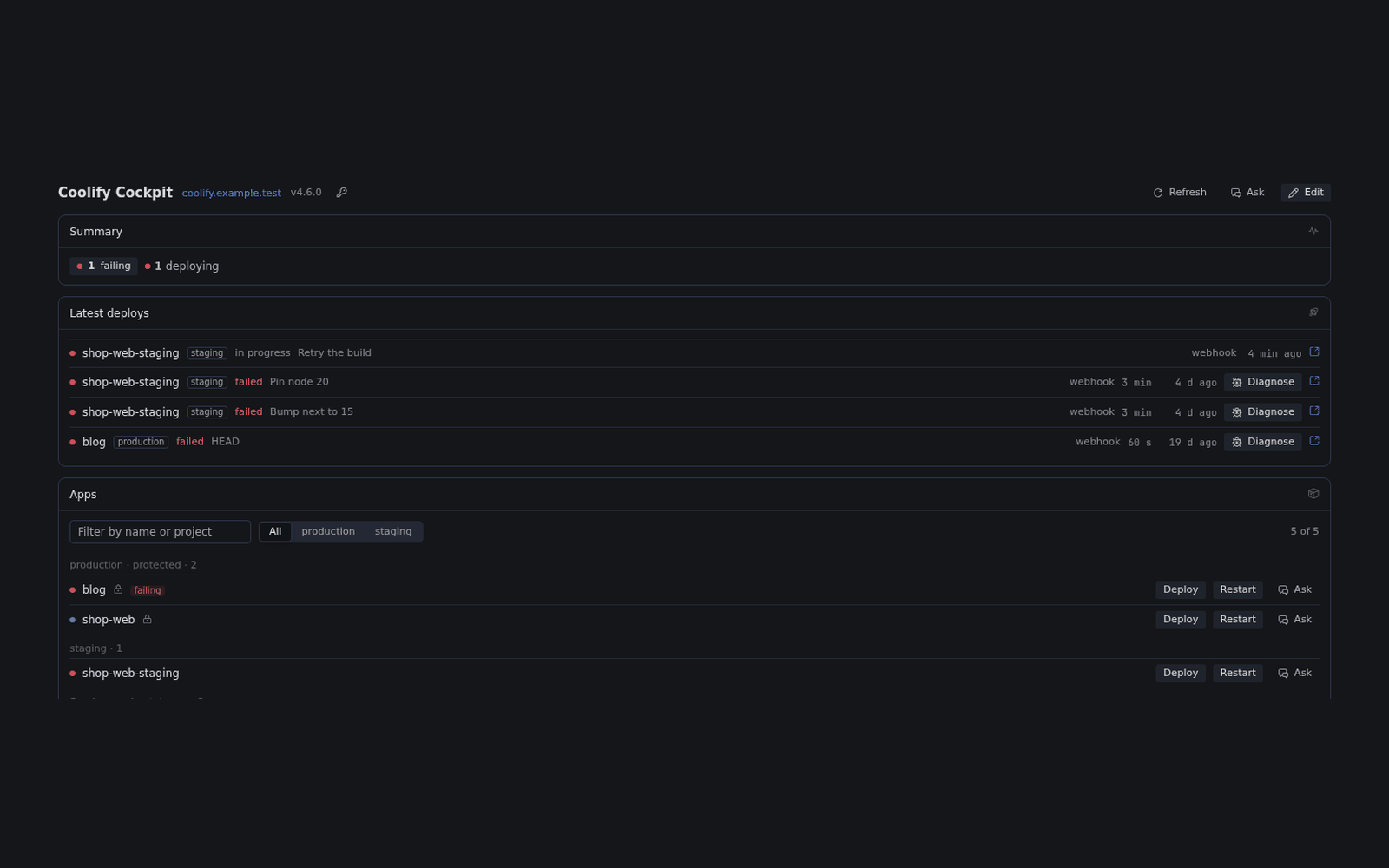
What needs you, first
Failed deploys, unhealthy apps, env changes and commits not deployed yet, and servers under pressure, in one list. The page, the status-bar chip, the agent and the alert job all read that list.
See what needs you on Coolify.
See what needs you across your Coolify instance, deploy with your approval, and let Hermes explain failed deploys.
hermes plugins install https:/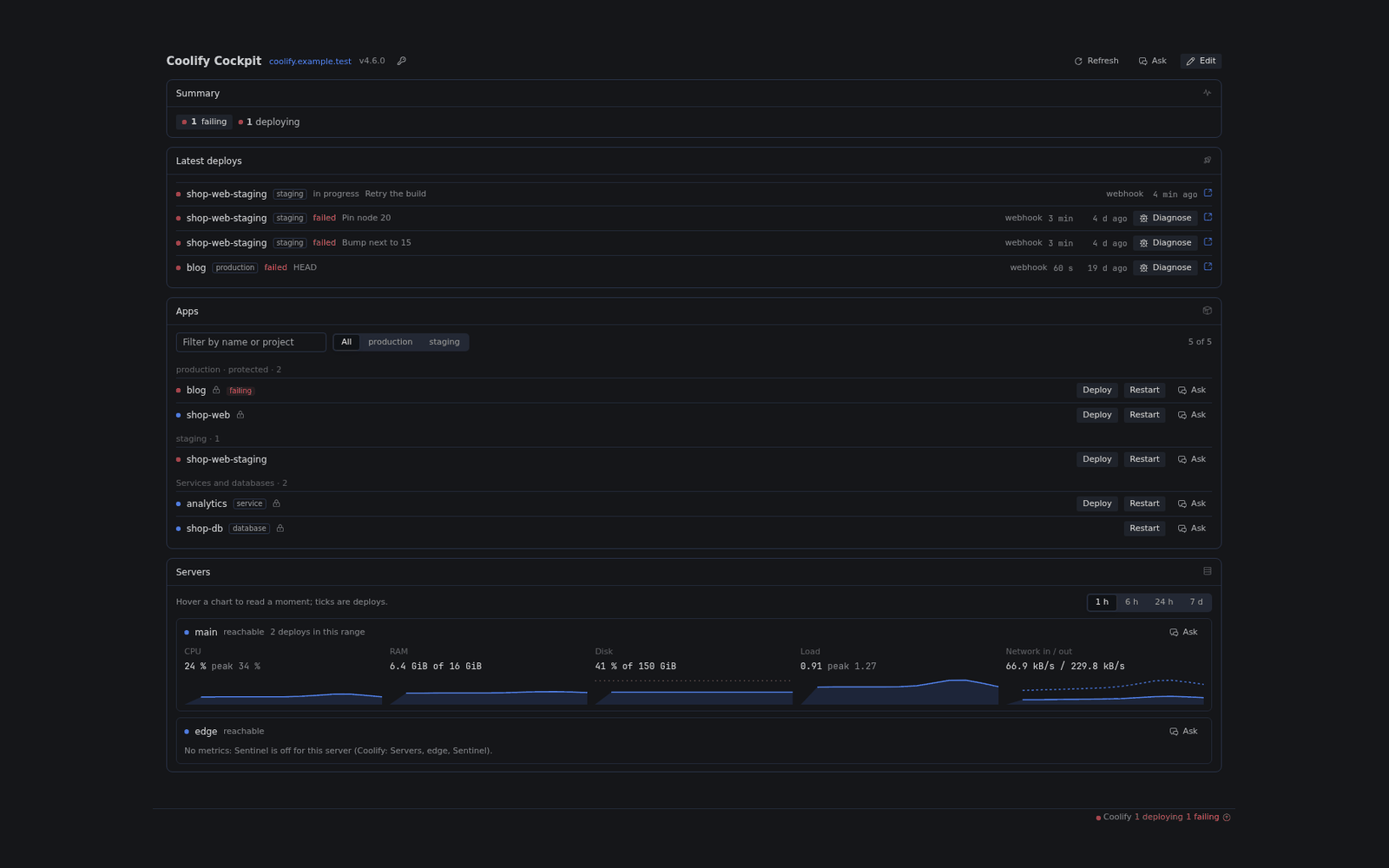
Failed deploys, unhealthy apps, env changes and commits not deployed yet, and servers under pressure, in one list. The page, the status-bar chip, the agent and the alert job all read that list.
Deploy, restart, stop or roll back from the page or from the chat. The agent's actions wait for your approval, and runs where no one can answer are refused before any request reaches Coolify.
Paste a failed log and Hermes classifies it against a catalogue of eleven common self-hosting failures, with the evidence lines and a likely fix. The classifier is plain pattern matching, no model call.
Start from a preset, rearrange the widgets in the page, or ask Hermes to do it. The page and the agent edit the same layout, and a save that collides with a newer one is refused, not lost.
Install it where Hermes runs.
hermes plugins install https:/Hermes on a server and Desktop on your laptop? Install it on the server as above, and on the Desktop computer with:
hermes plugins install https:/In Coolify, turn on API access and create an API token with read and deploy on all projects.
In Hermes Desktop, open Coolify Cockpit in the sidebar and enter your Coolify URL and the token.
Hermes 0.23.0 or newer and a Coolify instance that the machine running the Hermes backend can reach, with API access turned on.
One API token with read and deploy on all projects. A read-only token gives a read-only cockpit. Leave read:sensitive off: it lets a token read deployment logs and secret values.
Yes. The tools work in any Hermes chat, and hermes coolify-cockpit alerts on starts an alert job that runs without Desktop. The Cockpit page and the status-bar chip need Desktop.
Requests to your Coolify, to Coolify's release feed at most every 6 hours, and to your apps' git hosts. What the tools read reaches your model provider. There is no telemetry.
Not by default. Environments in protected_environments (production by default) are refused for the agent. Your own buttons work there, with a confirmation that names the environment.
Run hermes plugins update coolify-cockpit, then start a new chat. On a server, update there and on the Desktop computer, then switch Agent in <profile> off and on in Capabilities → Plugins.
Run hermes coolify-cockpit alerts off if you turned alerts on, then hermes plugins remove coolify-cockpit.
MIT. Open an issue on GitHub and include what coolify_capabilities reports, never a token.
Coolify Cockpit is open source under MIT. Issues, ideas and pull requests are welcome on GitHub.